
The main inputs for the Syndicator Calculator are configured in the Step 1 section. The section looks like this:
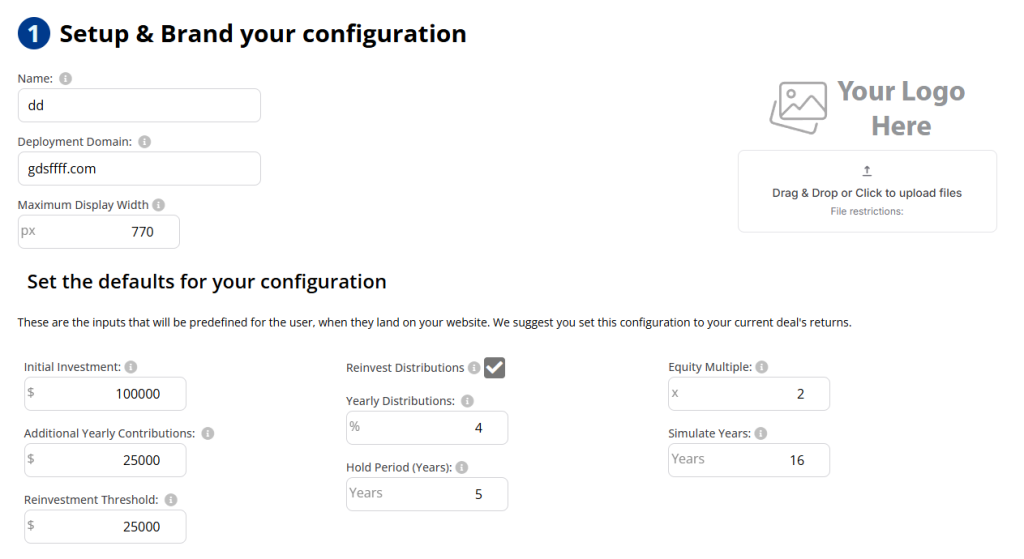
Please make sure to fill out all the required information to ensure that the view for your investors is complete.
For each of the definitions above, you can check out the Term Definitions – Add Configuration article.
Here are some tips about the configuration:
Tip 1 – Make sure to include the Maximum Display Width #
Including the “Maximum Display Width” will ensure that the preview for your investors aligns with the styling of your website.
Tip 2 – Ensure that you include your logo #
Include your logo in the configuration, positioned on the portfolio performance graph. This way, if your investors take screenshots, you will ensure that they are branded.
Tip 3 – Set the defaults that match your deal #
We recommend that you set the defaults to your most current deal or the landing page for a deal you are presenting. Remember that you can have multiple Syndicator Calculators on your website. We encourage you to use the calculator for each deal so the experience for your user is personalized.
Continue to Step 2 – Configure what your investors can modify


